
Setup with Docker Compose
openbill runs as a Docker Compose stack: the app (baeroe/openbill, for linux/amd64 and linux/arm64), MariaDB 11.4 and Gotenberg 8, which renders the PDFs. You need Docker with Compose v2 and, for HTTPS, a reverse proxy in front (see Reverse proxy).
Your instance, your responsibility
openbill is no tax or legal advice and comes without warranty (MIT License). Whether your invoices and your archive meet the rules that apply to you (e.g. GoBD), check with your tax advisor; see E-invoices.
Quick start: paste and deploy
One compose file with everything in it, no .env:
- Paste the block below into a new stack in Dockge or Portainer, or save it as
compose.yamlon your server. - Change the four values at the top:
APP_URL(the https address of your reverse proxy),ADMIN_EMAIL,ADMIN_PASSWORDandDB_PASSWORD. openbill refuses to start while a password is stillchange-me. - Deploy (Dockge/Portainer) or run
docker compose up -d. Wait foropenbill: readyin the logs ofopenbill, then openAPP_URL. openbill listens on port7739of the server: point your reverse proxy athttp://<server>:7739(see Reverse proxy).
The owner account is created on the first start; afterwards you can delete the ADMIN_PASSWORD line. Keep DB_PASSWORD as it is: MariaDB stores it on the first start. MariaDB's root password is random and not needed (backups use the openbill user).
# openbill in one file, no .env needed. Paste it into Dockge or Portainer
# (or save it as compose.yaml), change the values below, deploy.
# Docs: https://openbill.dev/en/setup
x-openbill: &openbill-env
  # public https address (your reverse proxy forwards it to port 7739)
  APP_URL: https://invoices.example.com
  # owner account, created on the first start (password: 8+ characters)
  ADMIN_EMAIL: admin@example.com
  ADMIN_PASSWORD: change-me
  # database password: MariaDB keeps it from the first start on
  DB_PASSWORD: &db-password change-me
  # proxy on another host? Only its X-Forwarded-* headers count then:
  # TRUSTED_PROXIES: 192.168.1.10
# openbill refuses to start while a password is still change-me.

# Data lives in the volumes openbill-data (PDFs/XMLs, templates, uploads, the
# generated APP_KEY) and openbill-db (MariaDB). Removing the stack keeps them
# unless you delete the volumes too.
services:
  openbill:
    # pin a version with baeroe/openbill:0.1.0
    image: baeroe/openbill:latest
    restart: unless-stopped
    depends_on:
      mariadb:
        condition: service_healthy
      gotenberg:
        condition: service_healthy
    # your reverse proxy forwards to port 7739 of this host (also from a container, like Nginx Proxy Manager).
    # Only a proxy on this host? "127.0.0.1:7739:8080" keeps the port local.
    ports:
      - "7739:8080"
    environment:
      <<: *openbill-env
      DB_HOST: mariadb
      DB_DATABASE: openbill
      DB_USERNAME: openbill
      GOTENBERG_URL: http://gotenberg:3000
    volumes:
      - openbill-data:/var/www/html/storage/app
    # Laravel answers (/up) with the host of APP_URL – the image's own check only pings nginx and PHP-FPM
    healthcheck:
      test: ["CMD", "sh", "-c", "h=$${APP_URL#*://}; h=$${h%%/*}; curl -fsS -o /dev/null -H \"Host: $${h%%:*}\" http://localhost:8080/up"]
      interval: 10s
      timeout: 5s
      retries: 5
      start_period: 120s
    networks:
      - default
      - backend

  mariadb:
    image: mariadb:11.4.13@sha256:1292844148b311e4ed4300022a996d39083f415a963e970cf47cad1b3b18e3a6
    restart: unless-stopped
    # refuses the placeholder before MariaDB stores it in its volume, then starts as usual
    entrypoint:
      - sh
      - -c
      - 'if [ "$$MARIADB_PASSWORD" = change-me ]; then echo "openbill: set DB_PASSWORD at the top of the compose file (still change-me)" >&2; exit 1; fi; exec docker-entrypoint.sh "$$@"'
      - docker-entrypoint.sh
    # Binary logging is off in this image. The document lock triggers need SUPER or this switch as soon as someone
    # turns it on (replication, point-in-time backups), so it is set either way.
    command:
      - --log-bin-trust-function-creators=1
    environment:
      MARIADB_DATABASE: openbill
      MARIADB_USER: openbill
      MARIADB_PASSWORD: *db-password
      # nobody needs root: backups use the openbill user (docs: backup)
      MARIADB_RANDOM_ROOT_PASSWORD: "1"
      # runs mariadb-upgrade after a new MariaDB patch version
      MARIADB_AUTO_UPGRADE: "1"
    volumes:
      - openbill-db:/var/lib/mysql
    healthcheck:
      test: ["CMD", "healthcheck.sh", "--connect", "--innodb_initialized"]
      interval: 5s
      timeout: 5s
      retries: 20
      start_period: 30s
    networks:
      - backend

  # PDF rendering. Templates may come from untrusted packages, so Chromium runs no JavaScript and loads nothing but
  # Gotenberg's own files and data: URLs.
  gotenberg:
    image: gotenberg/gotenberg:8.37.0@sha256:f29984bd1e226bf1b93ba90af06000afa8b315853e99d27b9aaa41b93f15c769
    restart: unless-stopped
    command:
      - gotenberg
      - --chromium-disable-javascript=true
      - --chromium-deny-list=^file:(?!//\/tmp/).*
      - --chromium-deny-list=^(?!(file|data):).*
      - --chromium-deny-private-ips=true
      - --chromium-deny-public-ips=true
    healthcheck:
      test: ["CMD", "curl", "-fsS", "-o", "/dev/null", "http://localhost:3000/health"]
      interval: 10s
      timeout: 5s
      retries: 10
      start_period: 20s
    networks:
      - backend

networks:
  default:
  # MariaDB and Gotenberg: reachable from openbill only, no published ports, no internet access
  backend:
    internal: true

volumes:
  openbill-data:
  openbill-db:
If you prefer the settings in a separate .env next to the compose file (for example to keep the compose file unchanged on updates), use the way below instead.
Files
mkdir openbill && cd openbill
curl -fsSLO https://raw.githubusercontent.com/baeroe/openbill/main/docker-compose.yml
curl -fsSL -o .env https://raw.githubusercontent.com/baeroe/openbill/main/.env.docker.example
.env
Fill in .env before the first start. The passwords are empty in the template on purpose: until the database passwords are set, docker compose up stops with DB_PASSWORD missing (or DB_ROOT_PASSWORD), and without ADMIN_PASSWORD the first start creates no owner (the log says nobody can log in).
| Variable | Required | Meaning |
|---|---|---|
APP_URL | yes | Public address including https://, e.g. https://invoices.example.com. Links, the toolkit download and the allowed Host header come from it: requests for any other host get 400. |
ADMIN_EMAIL, ADMIN_PASSWORD | first start | Owner account (the template leaves the password empty), created on the first start only (password at least 8 characters). Changing them later doesn't touch the existing account. Remove ADMIN_PASSWORD from .env once you have logged in, see Passwords. |
DB_PASSWORD, DB_ROOT_PASSWORD | yes | MariaDB passwords (empty in the template). MariaDB stores them on the first start; changing them in .env afterwards breaks the connection. |
OPENBILL_BIND, OPENBILL_PORT | no | Host address and port, default 0.0.0.0 and 7739 (the container listens on 8080). OPENBILL_BIND=127.0.0.1 keeps the port local, for a proxy on the same host (not in a container), see Reverse proxy. |
TRUSTED_PROXIES | no | IP addresses or CIDR networks (no host names) whose X-Forwarded-* headers openbill believes, comma-separated. Default: localhost and the private networks. Optionally narrow it to your proxy, see Reverse proxy. |
OPENBILL_IMAGE | no | Default baeroe/openbill:latest. Pin a version with baeroe/openbill:0.1.0. |
APP_KEY | no | Encryption key of sessions and cookies. Without it, openbill generates one on the first start and keeps it in the data volume. |
Start
docker compose up -d
docker compose logs -f openbill    # wait for "openbill: ready", then Ctrl+C
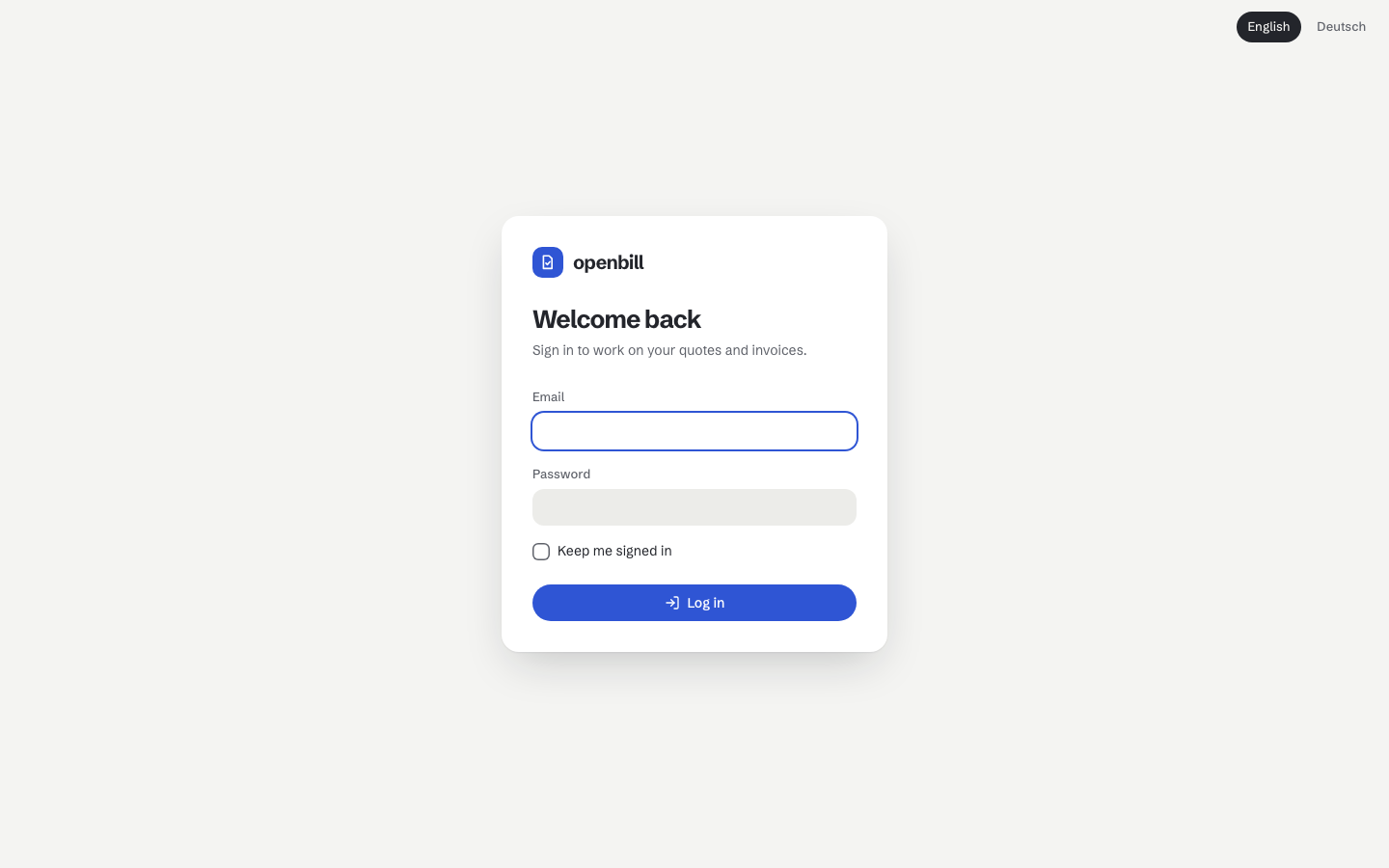
Open APP_URL and log in with ADMIN_EMAIL / ADMIN_PASSWORD.
On every start the container:
- waits up to 60 seconds for the database (
DB_WAIT_TIMEOUT); if it isn't reachable, it stops withopenbill: database … not reachableand Docker restarts it, - generates the
APP_KEYonce, unless you set one, - migrates the database,
- installs the built-in templates (Klar, Kante, Leise) in the version of the image,
- creates the owner account if it doesn't exist yet,
- builds its caches.
Passwords
ADMIN_PASSWORD is only needed for the first start. Once you have logged in, delete the line from .env and run docker compose up -d, so the password no longer sits in the file and in the container environment. Without it the container skips creating the owner; it only warns in the log when no account exists at all.
Everyone changes their own password under Settings → Your account (see Settings). A forgotten password is reset on the server; the command asks for the new one twice without showing it:
docker compose exec openbill php artisan app:reset-password owner@example.comWithout a terminal it reads the first line of its input instead, e.g. docker compose exec -T openbill php artisan app:reset-password owner@example.com < new-password.txt. The password is never an argument, so it doesn't end up in the shell history. Resetting signs the account out everywhere; its API tokens stay valid.
What lives where
| What | Where |
|---|---|
Archived PDFs and e-invoice XMLs, template assets, uploaded images and logos, the generated APP_KEY (.app-key) | volume openbill-data (/var/www/html/storage/app in the container) |
| Database | volume openbill-db (MariaDB) |
| Settings | .env next to docker-compose.yml, or the block at the top of the standalone compose file |
Containers can be recreated at any time, the volumes stay. docker compose down -v deletes them, and with them every document. Back up both volumes, see Backup.
Services
- openbill: nginx and PHP-FPM on port
8080, runs aswww-data; the code in the image is read-only for it. It counts as healthy once Laravel answers/upfor the host ofAPP_URL. - mariadb: only reachable by openbill (internal network, no published port). It runs with
--log-bin-trust-function-creators=1: finalized documents are protected by database triggers, and creating triggers needs this switch (or the SUPER privilege) as soon as binary logging is on. - gotenberg: renders HTML to PDF/A-3. Only reachable by openbill and without internet access. Templates can come from untrusted packages, so Chromium runs no JavaScript and loads nothing but Gotenberg's own working files and
data:URLs.
Your own MariaDB
To use an existing MariaDB 11.4 instead of the mariadb service: remove the service and its depends_on entry, set DB_HOST, DB_PORT, DB_DATABASE, DB_USERNAME and DB_PASSWORD for openbill, and give the user all privileges on its database (including TRIGGER). If binary logging is on there, set log_bin_trust_function_creators = 1 in the server configuration – otherwise the first migration fails with error 1419 (“You do not have the SUPER privilege and binary logging is enabled”).
Language
The app is in English and German, English by default. The language is part of the URL (APP_URL/en/…, APP_URL/de/…); switch it in the menu. Documents have their own language, independent of the app.
Versions
latest follows every release. Pin a version with OPENBILL_IMAGE=baeroe/openbill:0.1.0 in .env. How to update: Upgrading.
docker-compose.yml
The complete compose file, the same one curl downloads above from the main branch. Usually you leave it as it is: everything you set goes into .env.
# openbill, self-hosted: docs/en/setup.md. Put a .env next to this file (template: .env.docker.example).
# Data lives in the volumes openbill-data (documents' PDFs/XMLs, templates, uploads, the generated APP_KEY) and
# openbill-db (MariaDB). `docker compose down` keeps them, `docker compose down -v` deletes them.
services:
  openbill:
    image: ${OPENBILL_IMAGE:-baeroe/openbill:latest}
    restart: unless-stopped
    depends_on:
      mariadb:
        condition: service_healthy
      gotenberg:
        condition: service_healthy
    # reachable on all addresses of the host, so a reverse proxy anywhere (also one in a container, like Nginx Proxy
    # Manager) forwards to host:7739. OPENBILL_BIND=127.0.0.1 keeps it local (docs/en/reverse-proxy.md).
    ports:
      - "${OPENBILL_BIND:-0.0.0.0}:${OPENBILL_PORT:-7739}:8080"
    environment:
      APP_URL: "${APP_URL:?APP_URL missing (public https address, see .env.docker.example)}"
      # optional: without it, a key is generated once and kept in the data volume
      APP_KEY: "${APP_KEY:-}"
      ADMIN_EMAIL: "${ADMIN_EMAIL:?ADMIN_EMAIL missing}"
      # only for the first start (app:ensure-admin creates the owner once); remove it from .env afterwards
      ADMIN_PASSWORD: "${ADMIN_PASSWORD:-}"
      DB_HOST: mariadb
      DB_DATABASE: openbill
      DB_USERNAME: openbill
      DB_PASSWORD: "${DB_PASSWORD:?DB_PASSWORD missing (set it in .env before the first start)}"
      GOTENBERG_URL: http://gotenberg:3000
      # optional: addresses whose X-Forwarded-* headers are believed (comma-separated); default the private networks
      TRUSTED_PROXIES: "${TRUSTED_PROXIES:-}"
    volumes:
      - openbill-data:/var/www/html/storage/app
    # Laravel answers (/up) with the host of APP_URL – the image's own check only pings nginx and PHP-FPM
    healthcheck:
      test: ["CMD", "sh", "-c", "h=$${APP_URL#*://}; h=$${h%%/*}; curl -fsS -o /dev/null -H \"Host: $${h%%:*}\" http://localhost:8080/up"]
      interval: 10s
      timeout: 5s
      retries: 5
      start_period: 120s
    networks:
      - default
      - backend

  mariadb:
    image: mariadb:11.4.13@sha256:1292844148b311e4ed4300022a996d39083f415a963e970cf47cad1b3b18e3a6
    restart: unless-stopped
    # Binary logging is off in this image. The document lock triggers need SUPER or this switch as soon as someone
    # turns it on (replication, point-in-time backups), so it is set either way.
    command:
      - --log-bin-trust-function-creators=1
    environment:
      MARIADB_DATABASE: openbill
      MARIADB_USER: openbill
      MARIADB_PASSWORD: "${DB_PASSWORD:?DB_PASSWORD missing (set it in .env before the first start)}"
      MARIADB_ROOT_PASSWORD: "${DB_ROOT_PASSWORD:?DB_ROOT_PASSWORD missing (set it in .env before the first start)}"
      # runs mariadb-upgrade after a new MariaDB patch version
      MARIADB_AUTO_UPGRADE: "1"
    volumes:
      - openbill-db:/var/lib/mysql
    healthcheck:
      test: ["CMD", "healthcheck.sh", "--connect", "--innodb_initialized"]
      interval: 5s
      timeout: 5s
      retries: 20
      start_period: 30s
    networks:
      - backend

  # PDF rendering. Hardened like in development (.ddev/docker-compose.gotenberg.yaml): templates may come from untrusted
  # packages, so Chromium runs no JavaScript and loads nothing but Gotenberg's own files and data: URLs.
  gotenberg:
    image: gotenberg/gotenberg:8.37.0@sha256:f29984bd1e226bf1b93ba90af06000afa8b315853e99d27b9aaa41b93f15c769
    restart: unless-stopped
    command:
      - gotenberg
      - --chromium-disable-javascript=true
      - --chromium-deny-list=^file:(?!//\/tmp/).*
      - --chromium-deny-list=^(?!(file|data):).*
      - --chromium-deny-private-ips=true
      - --chromium-deny-public-ips=true
    healthcheck:
      test: ["CMD", "curl", "-fsS", "-o", "/dev/null", "http://localhost:3000/health"]
      interval: 10s
      timeout: 5s
      retries: 10
      start_period: 20s
    networks:
      - backend

networks:
  default:
  # MariaDB and Gotenberg: reachable from openbill only, no published ports, no internet access
  backend:
    internal: true

volumes:
  openbill-data:
  openbill-db: