
Custom fields
Custom fields add your own data to the organization, customers, contacts, documents and positions – a project code on invoices, the supplier number a customer knows you by, a ticket per position. They appear in the forms of the app, are checked by the API and MCP, and every template can print them.
Levels
| Level | Where it appears | In templates |
|---|---|---|
| Organization | Settings → Organization | org.<key> |
| Customer | customer page | customer.<key> |
| Contact | contact drawer of a customer | contact.<key> |
| Document | head of the document editor | document.<key> |
| Position | every position row | p.<key> inside {% for p in g.positions %} |
Document and position fields apply to chosen document types (quote, order confirmation, invoice, cancellation). On the custom fields page the four short buttons in each row switch a type on or off; a field always keeps at least one type. When a document is converted, a value only moves along if the field also applies to the target type.
Types
Text, long text, number, amount, date, selection (with options), yes/no and image. Numbers and amounts are stored as strings with a dot ("12.5"), dates as YYYY-MM-DD.
Image fields take an upload (PNG, JPEG, GIF, WebP or SVG, at most 1 MB). The value is the path of the stored file (uploads/<id>.png); in templates the field is a data URL that works in header, body and footer:
{% if document.stamp != blank %}<img src="{{ document.stamp }}" alt="">{% endif %}Uploaded files are kept even when the value changes, because finalized documents still refer to them. Images nothing refers to anymore (no record, no finalized document) are listed by docker compose exec openbill php artisan app:prune-images --dry-run; without --dry-run they are deleted. Files younger than 24 hours stay (--min-age=<hours>), because an upload is stored before its form is saved.
Adding and editing
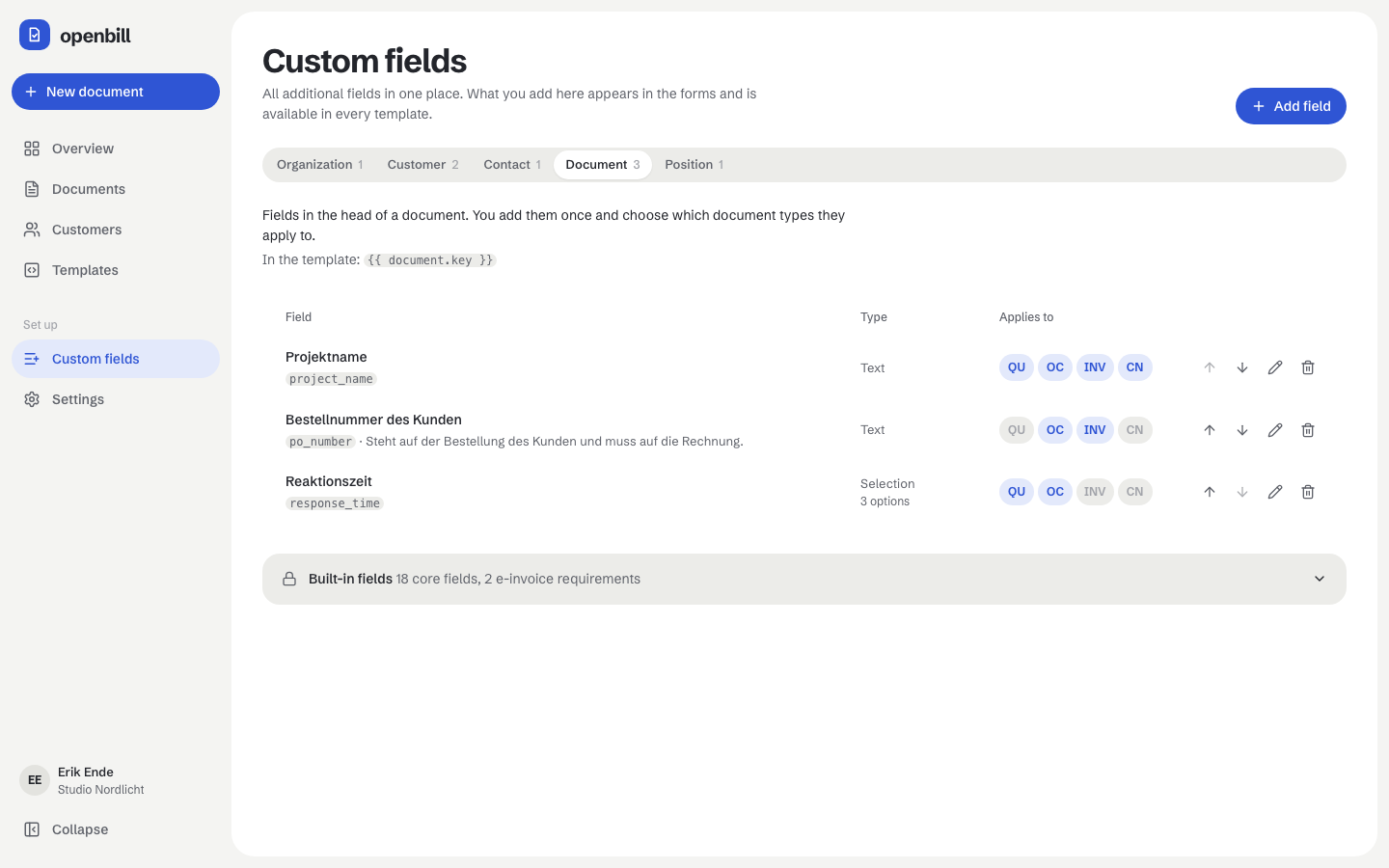
Custom fields → Add field opens a drawer with a live preview of the input. The key is built from the label (Project code → project_code) and can be changed until the field is created; afterwards it is fixed so that templates and stored values stay valid. Core keys of a level (number, date, name, …) are reserved. Required fields must be filled before a document can be finalized. A default value is pre-filled in new entries.
The arrows change the order (it is the order of the forms). Delete removes the field after the undo notice has gone; stored values stay in the data and finalized documents keep the field in their snapshot.
Built-in fields
Each level has core fields (always available, listed under “Built-in fields”; for customers e.g. kind, business or private person) and, for the e-invoice profile, required details such as a complete address, VAT ID or tax number, IBAN, service date and unit codes. They cannot be removed because totals, numbers and the e-invoice depend on them.
Templates
The template editor lists every field per level in its field bar; a click inserts an expression with the fitting filter (| money, | date, | nl2br, | number: 2). A template can declare the fields it expects in manifest.json (expectedFields); the editor warns when one of them does not exist yet.
API
GET/POST /api/field-definitions, GET/PATCH/DELETE /api/field-definitions/{id}, POST /api/field-definitions/reorder ({"scope": "document", "ids": [...]} with every field of the level), POST /api/uploads (multipart file, answer {"path": "uploads/…"} = the value of an image field). Values travel in custom of the object: {"custom": {"project_code": "NORDLICHT-7"}}. Wrong types, unknown options, missing required fields and fields that do not apply to the document type answer 422 with the field path.