Skip to content

Quotes and invoices the way you need them.

Open source and self-hosted. Your own fields on every level, line items in groups, PDF templates in Liquid and EN 16931 e-invoices – in the browser, over a REST API and for AI agents over MCP.

From draft to e-invoice

One document, four stops. Everything you see here is the app itself, with demo data.

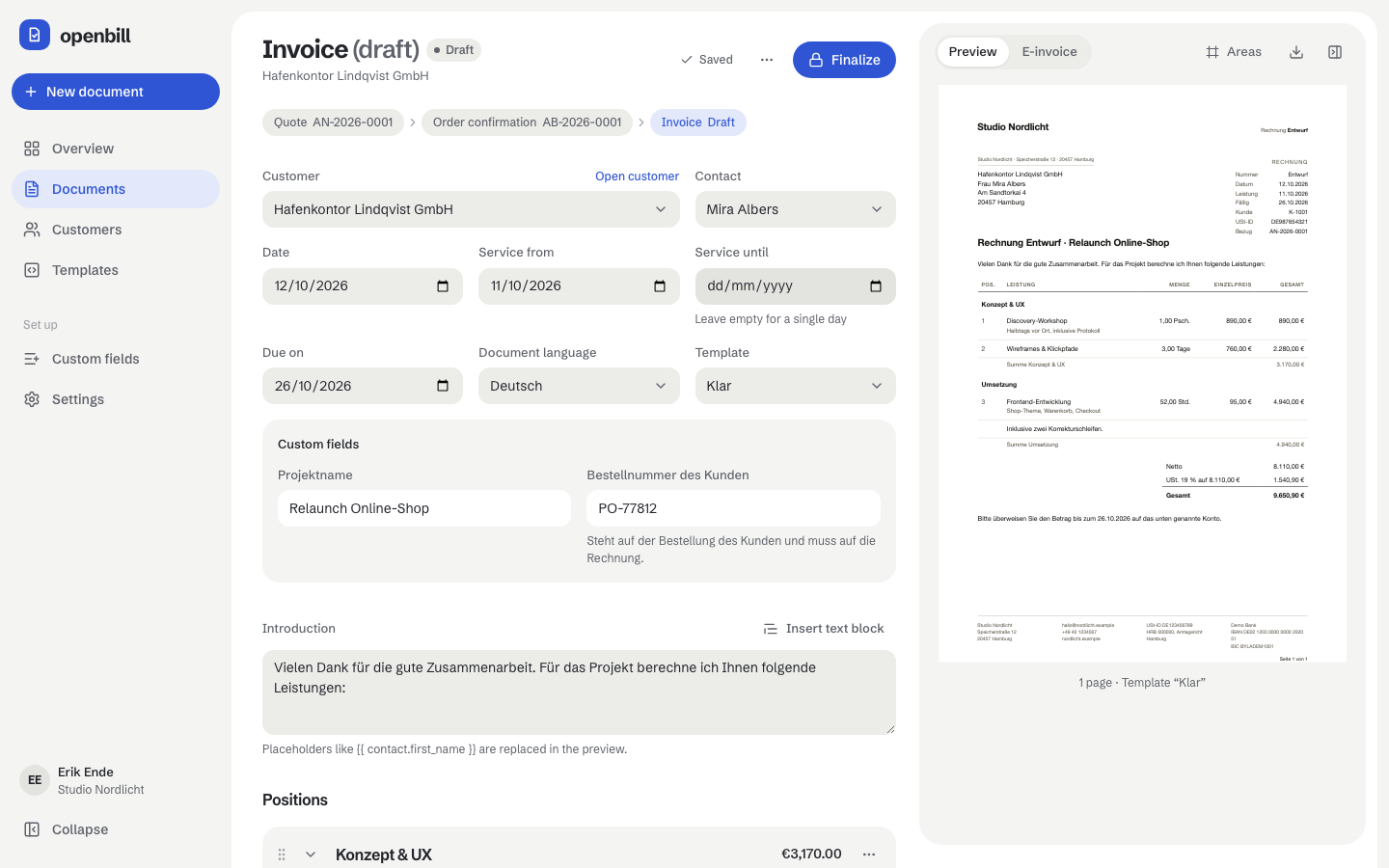
  1. Write the draft

    Pick the customer, put line items in groups and fill in your own fields. The preview renders the real PDF while you type, and every change is saved on its own.

    Documents and the editor
    The document editor with a draft invoice and the live preview
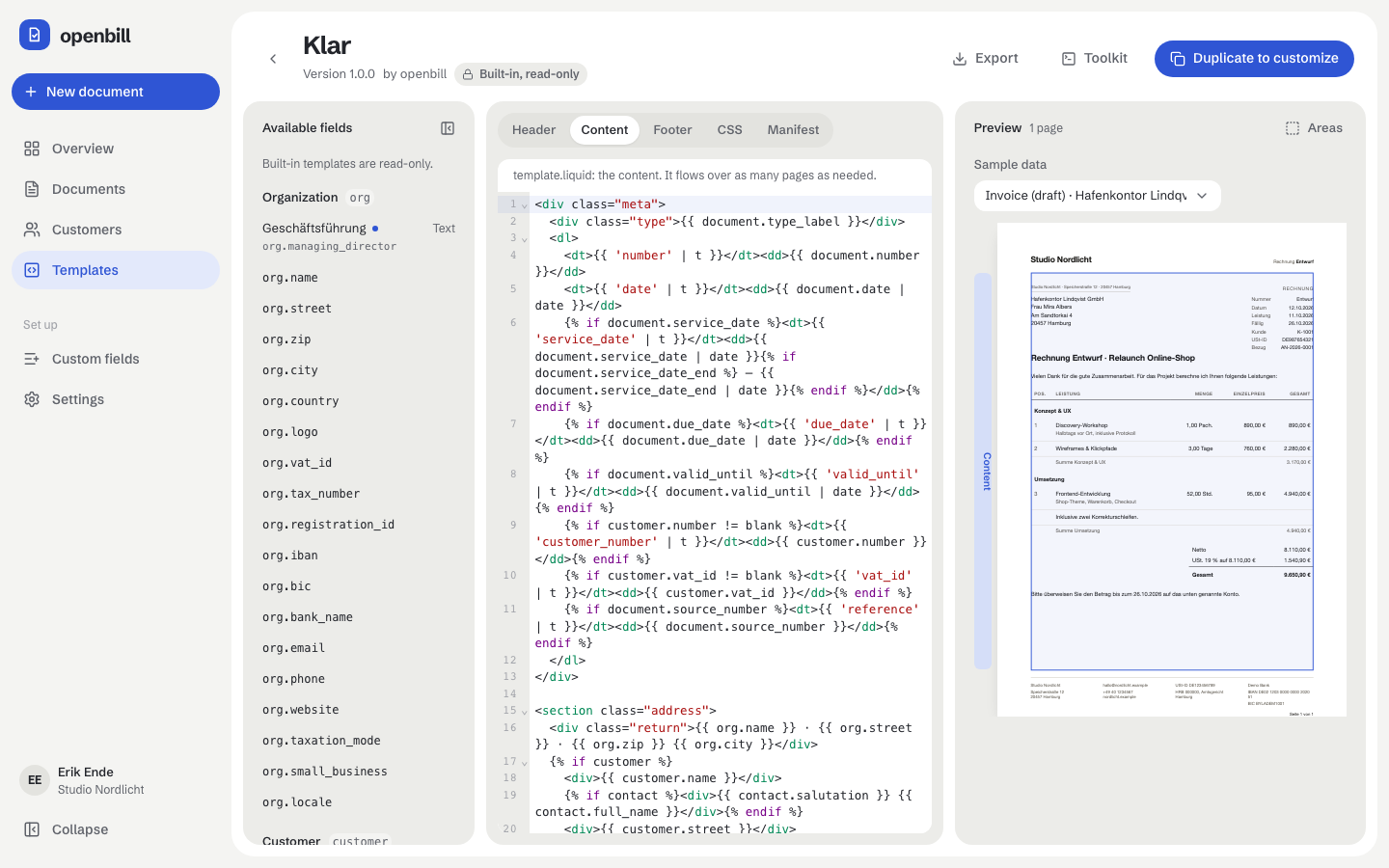
  2. Shape the template

    Templates are HTML, CSS and Liquid, rendered to PDF on the server. Edit them in the browser, or download the toolkit and keep working in your own editor.

    Templates
    The template editor with the Liquid source and a preview of the page
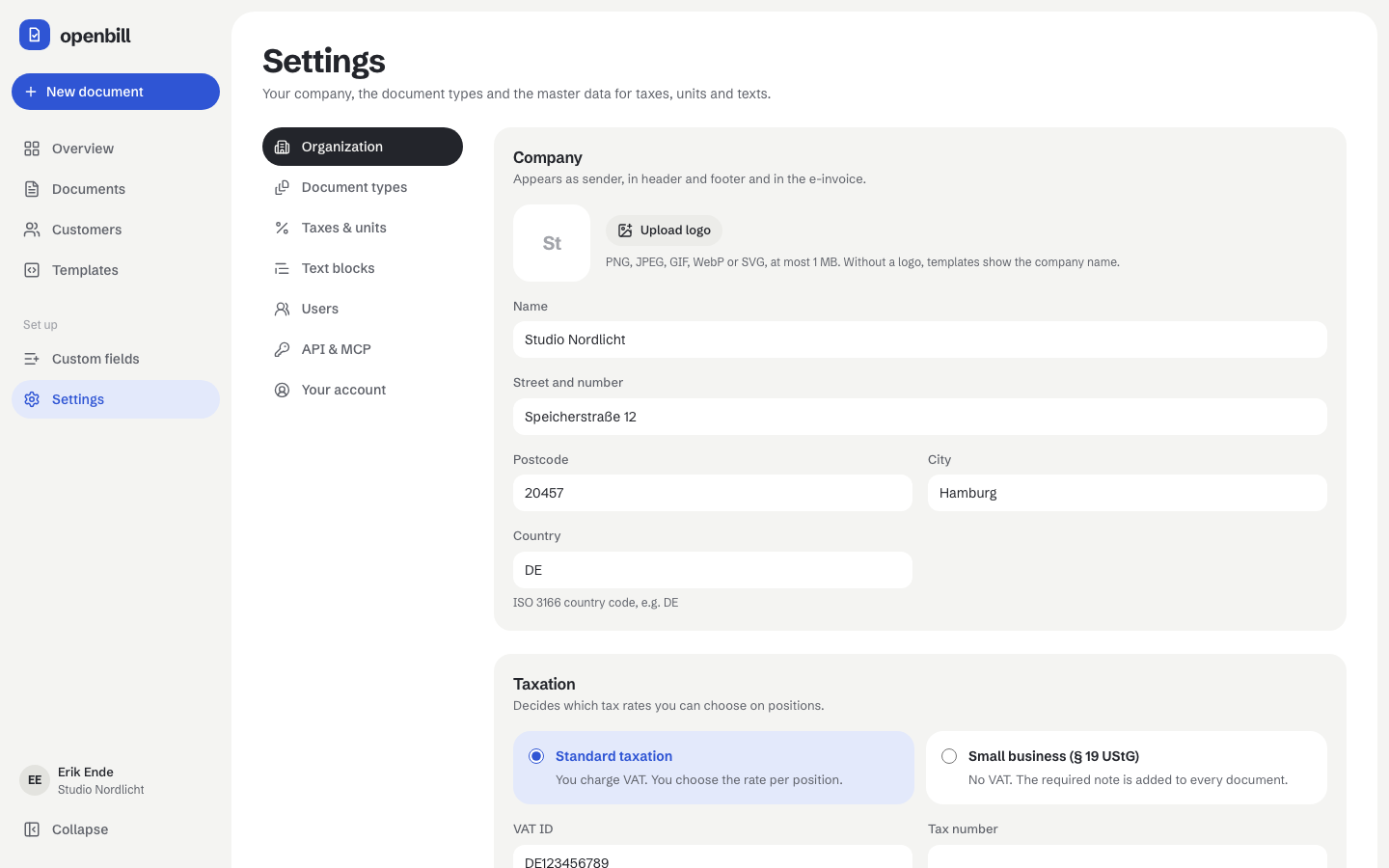
  3. Fix what is missing

    Before you finalize, openbill checks the document against EN 16931 and points to every missing detail, down to the field in your settings where it belongs.

    E-invoices
    The organization settings with company details, taxation and VAT ID
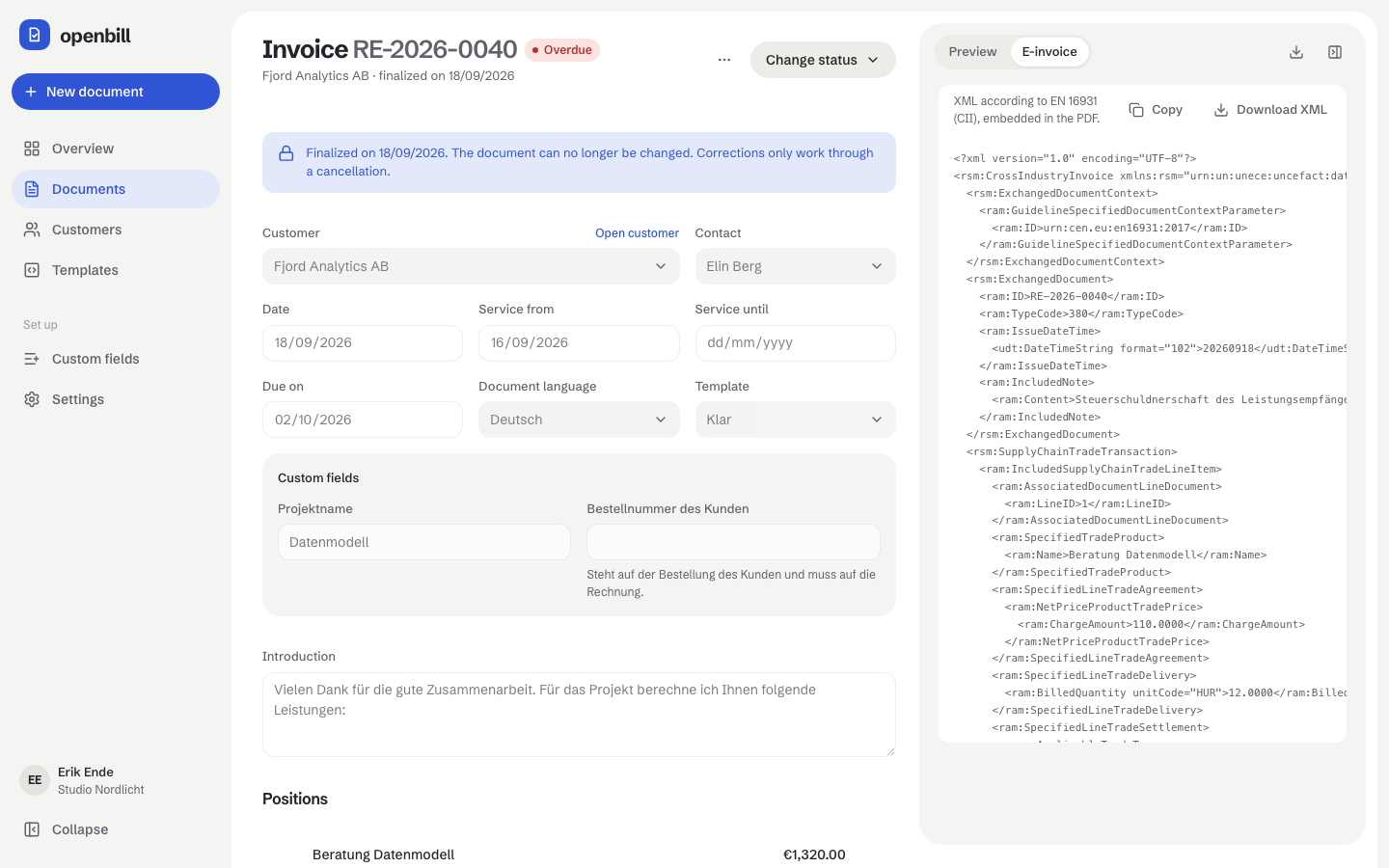
  4. Finalize and archive

    Finalizing assigns the number and locks the document. openbill archives a PDF/A-3 with the factur-x.xml inside, and only a cancellation can change it from then on.

    E-invoices
    A finalized invoice with the embedded e-invoice XML next to it

An agent can design your template

Templates are HTML, CSS and Liquid. Work on them in your own editor with a live preview, or describe the look and let an AI agent write it – it sees render errors with line numbers and checks the result before anything is saved.

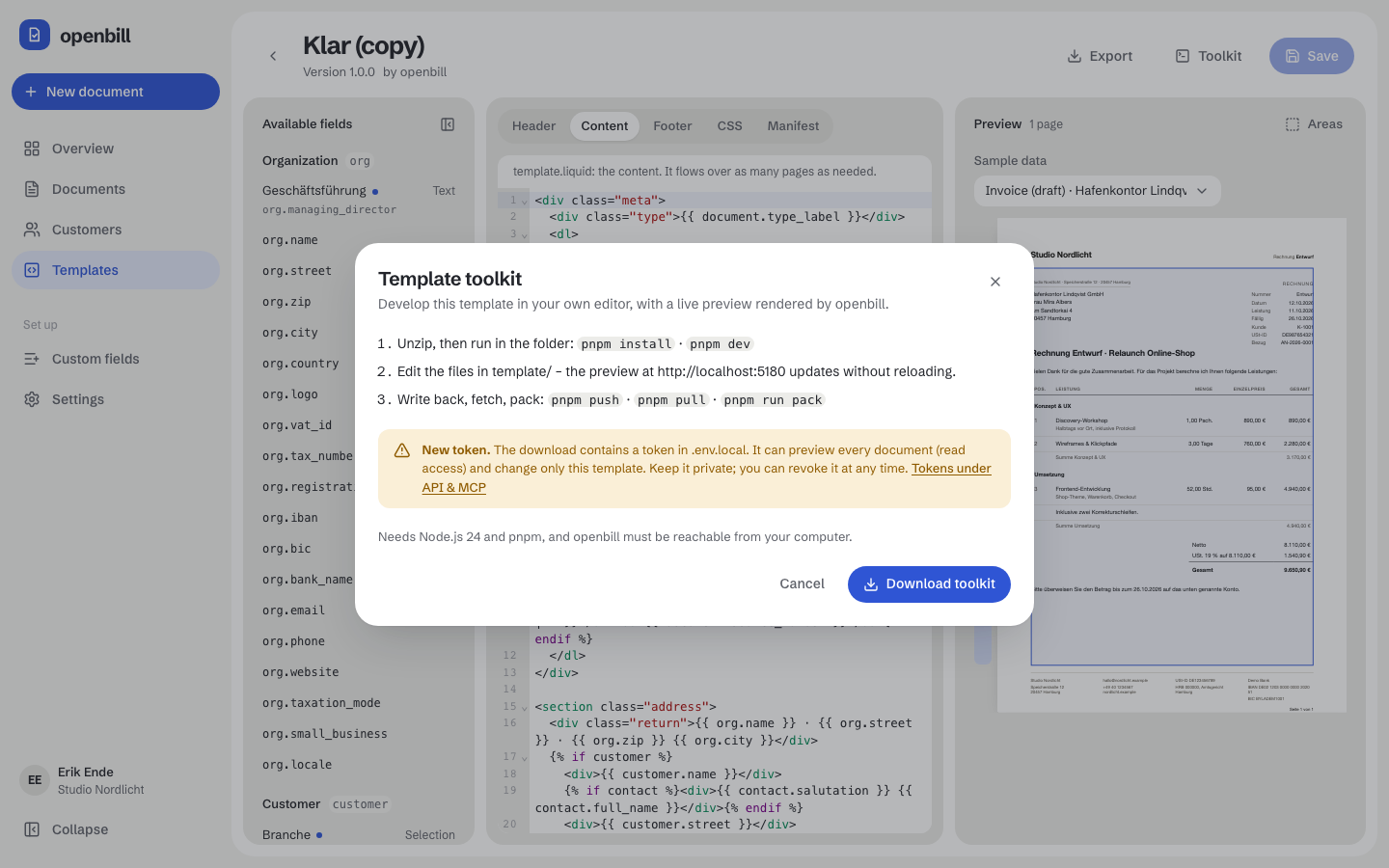
The toolkit dialog of a template in openbill

In your editor, with a coding agent

Download the template toolkit and open Claude Code, Codex or another coding agent in its folder. The agent edits template.liquid and styles.css, the preview in your browser renders every save on your instance, and AGENTS.md tells it the rules. Happy with it? pnpm push saves it in openbill.

pnpm devpnpm pushpnpm pull

Template toolkit
The template editor with code and a preview of the page

Inside openbill, over MCP

Connect an agent to the MCP server and it works on the template in place. It tries changes with sample data or a real document, reads errors with line numbers, the page count and missing fields, and saves once everything renders. The Liquid reference comes along as an MCP resource.

get-templaterender-template-previewupdate-template

Templates over MCP

Let an agent do the paperwork

Everything the app does works through a REST API with scoped tokens and an MCP server. An agent can draft an invoice, read the open issues and finalize it, with the same checks as you.

An agent creates, checks and finalizes an invoice over MCP
  1. Invoice Hafenkontor Lindqvist for the shop relaunch.
  2. create-document {"type":"invoice","customer_id":"01K7…","groups":[…]}
  3. {"status":"draft","totals":{"gross":"9650.90"},"issues":[]}
  4. finalize-document {"id":"01K9…"}
  5. {"number":"INV-2026-0042","status":"open","is_locked":true}
  6. get-document-pdf-url {"id":"01K9…"}
  7. {"pdf":"https://…/downloads/…","xml":"https://…/downloads/…"}
  8. INV-2026-0042 is finalized. PDF and e-invoice XML are archived; the links work for 15 minutes.

Runs on your server, with Docker Compose

One compose file with everything it needs. Paste it into Dockge or Portainer (or save it as compose.yaml), change the four values at the top, deploy.

# openbill in one file, no .env needed. Paste it into Dockge or Portainer
# (or save it as compose.yaml), change the values below, deploy.
# Docs: https://openbill.dev/en/setup
x-openbill: &openbill-env
  # public https address (your reverse proxy forwards it to port 7739)
  APP_URL: https://invoices.example.com
  # owner account, created on the first start (password: 8+ characters)
  ADMIN_EMAIL: admin@example.com
  ADMIN_PASSWORD: change-me
  # database password: MariaDB keeps it from the first start on
  DB_PASSWORD: &db-password change-me
  # proxy on another host? Only its X-Forwarded-* headers count then:
  # TRUSTED_PROXIES: 192.168.1.10
# openbill refuses to start while a password is still change-me.

# … and the services openbill, MariaDB and Gotenberg. Copy takes the whole file.
amd64 and arm64
Images for both, from a home server to the cloud.
MariaDB and Gotenberg
The database and the PDF service come with the stack, on an internal network.
Your data stays with you
Documents, archive and templates live on your server and in your backups.
Full Docker Compose guide

What is in the box

Start with the setup guide.